
Your services. Their own portal.
Give customers one place to raise cases, work on tasks and share documents — connected to your SuiteCRM.
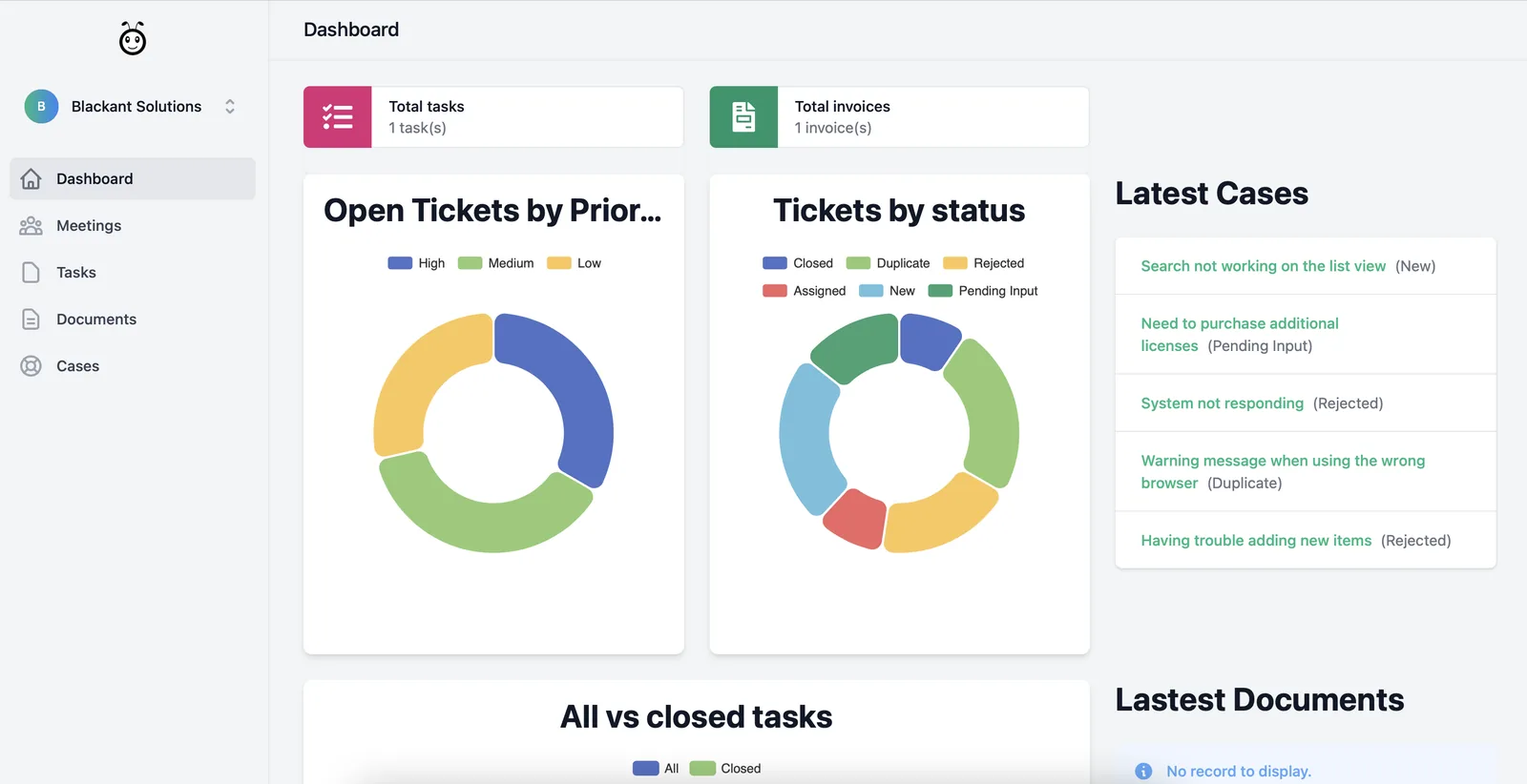
How it fits
Fewer “any update?” emails.
Customers raise support cases themselves and check the status of current and past cases whenever they like.
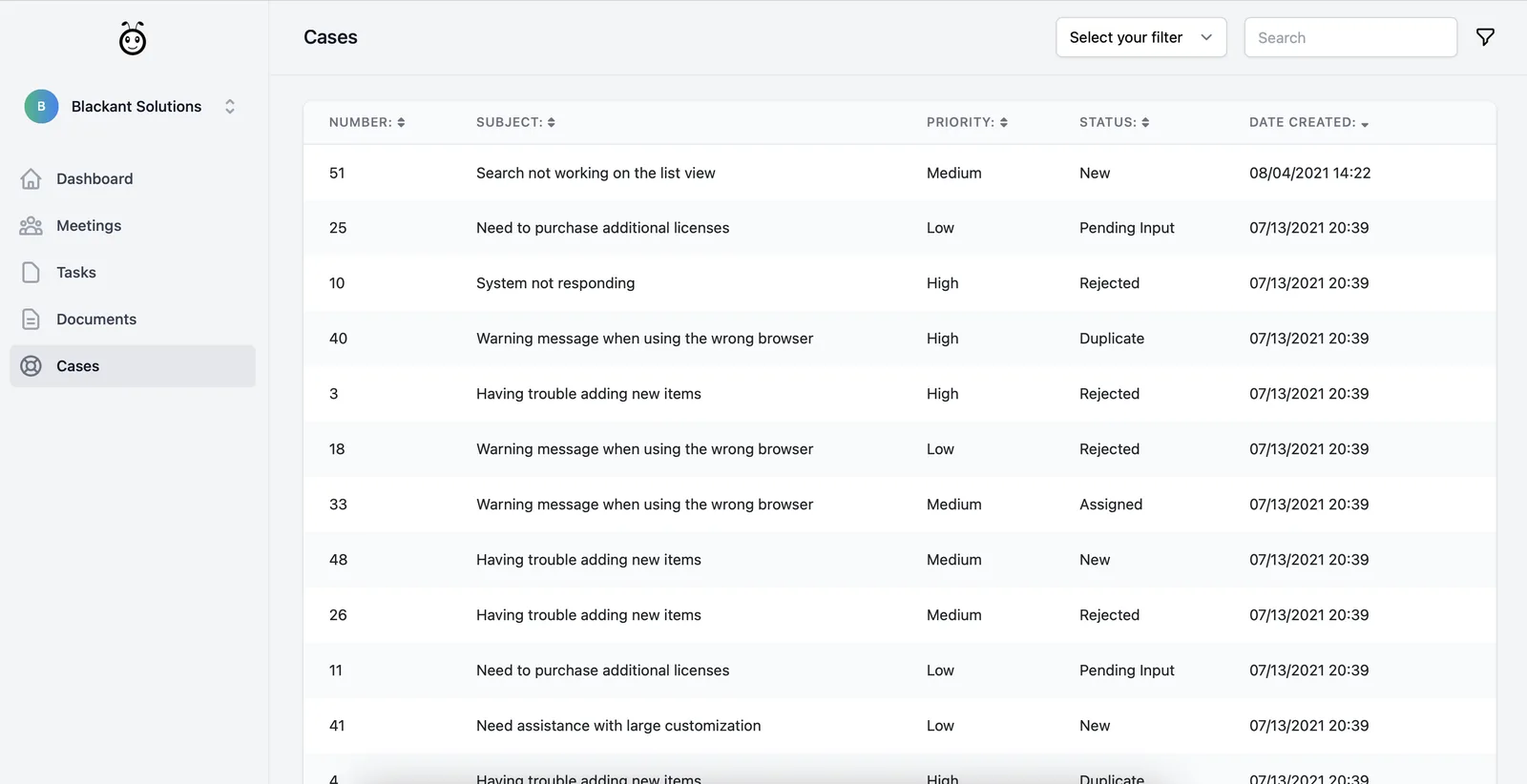
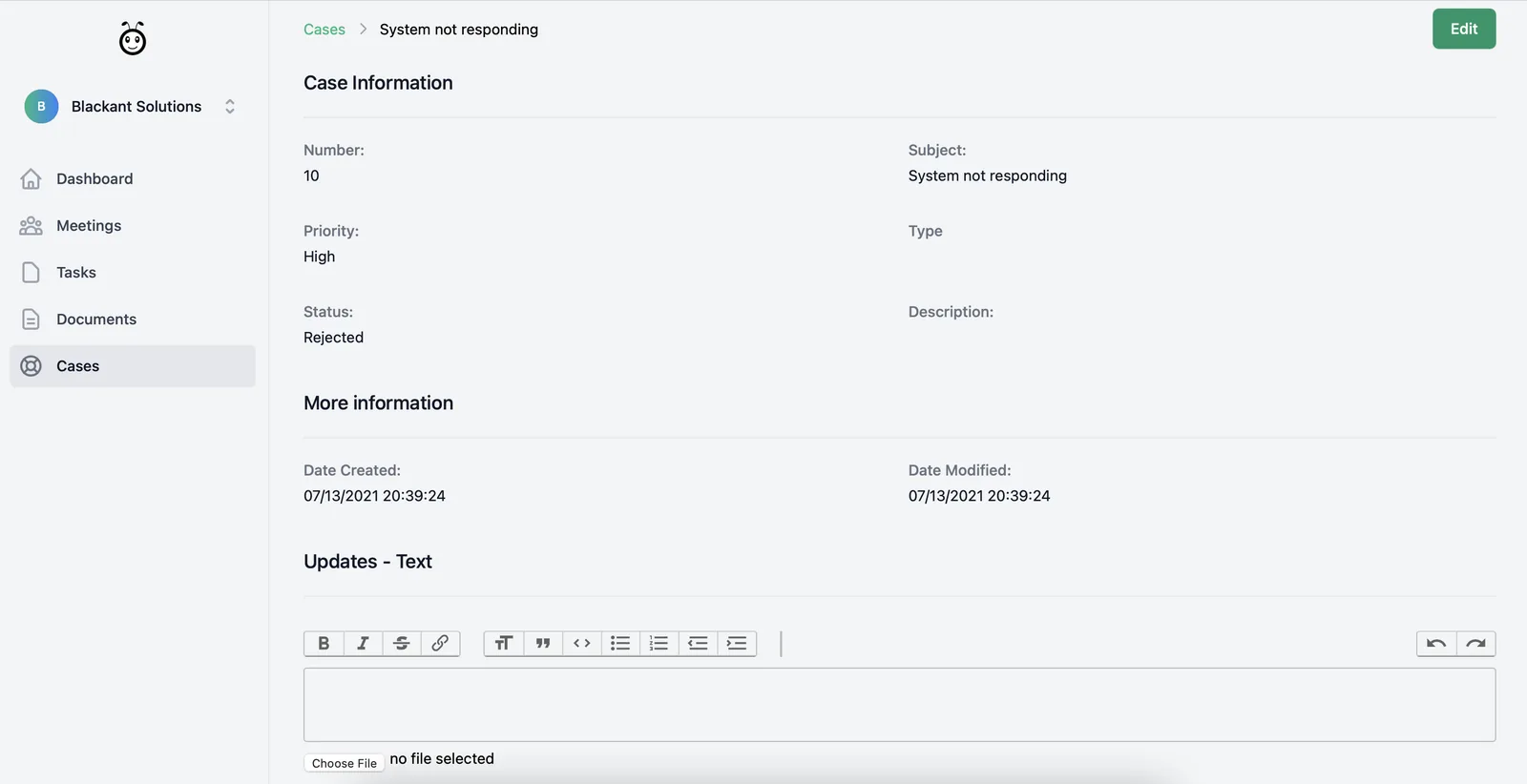
Tasks and files, in one place.
Customers see the tasks assigned to them, follow updates, and upload or view shared documents right inside the portal.
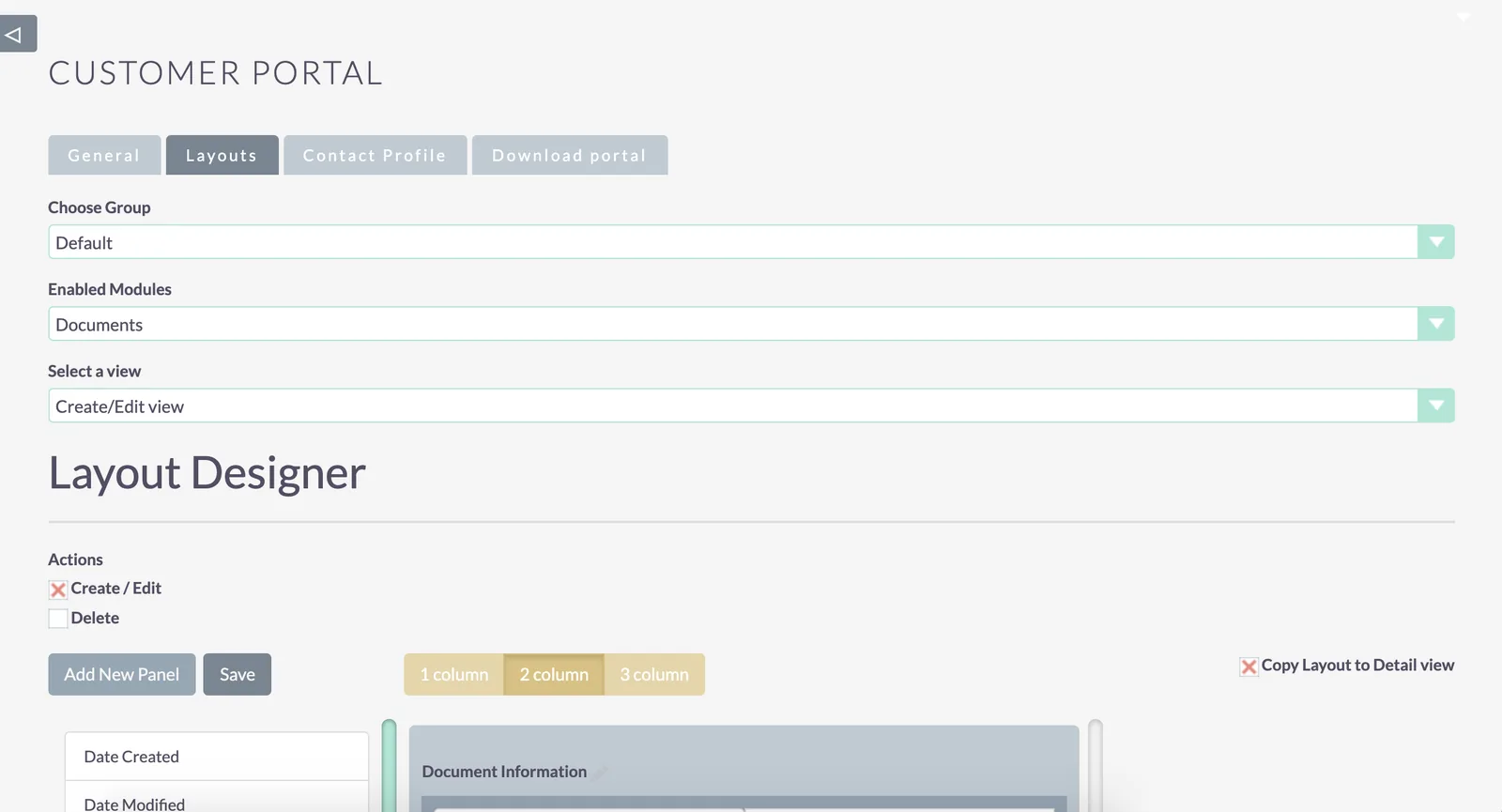
You decide who sees what.
Choose modules and fields for each customer group and allow Create, Edit or Delete only where it makes sense. Everything is view-only by default.
Everything in Customer Portal
Raise and track support cases
Customers create cases and check the status of current and past ones.
Work on tasks and share documents
Assigned tasks in one place, with document upload and viewing.
Choose visible modules and fields
As an administrator, decide exactly what customers can see.
Search and saved filters
Advanced search across portal modules, saved as filters for quick access.
Customers update their profile
Contact details stay current without emails back and forth.
Groups and permissions
Per-group modules, fields and Create, Edit or Delete rights.
Up and running in three steps.
Setup guideVideo walkthrough- 1
Install the module
Download the ZIP from your account, then upload and install it in SuiteCRM under Admin › Module Loader.
- 2
Configure the portal
Set the portal URL, choose the modules to show, set up customer groups, and enable portal access for each contact.
- 3
Generate your portal
Enter your portal and CRM details on the Download portal tab, then download the separate frontend package.
Bought from the SuiteCRM Store? Your licence key comes from them. Bought here? [What direct buyers do at this step.]
- SuiteCRM module (ZIP)
- Portal frontend package generator
- Setup guide and video walkthrough
- Re-download anytime from your account