
Your rules. A clearer view of your records.
Highlight the records that match your rules — in list views, homepage dashlets and subpanels.
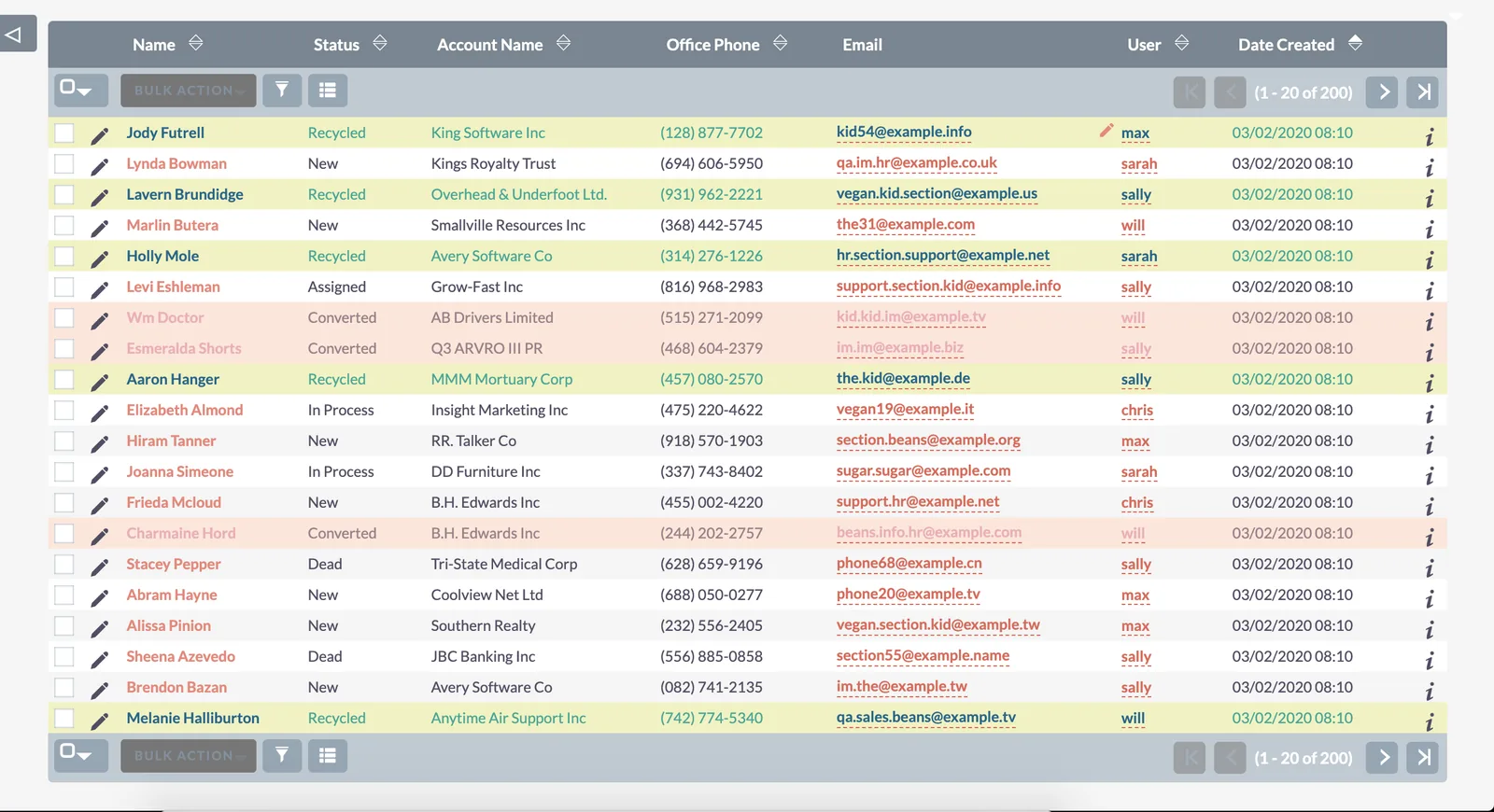
See what needs attention.
Background, text and link colors make matching records stand out in list views and subpanels.
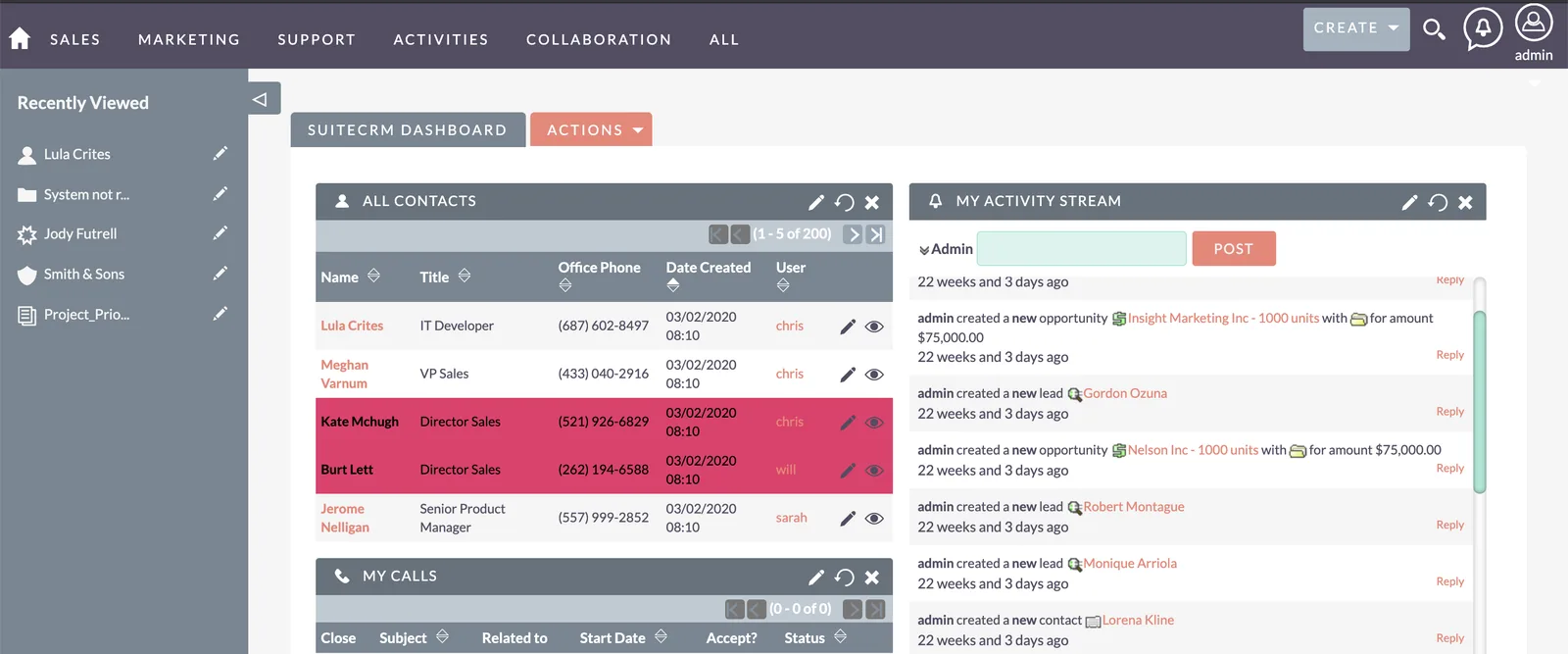
Highlights on your dashboard too.
The same rules apply to homepage dashlets, so priorities are visible the moment you sign in.
Rules that fit your workflow.
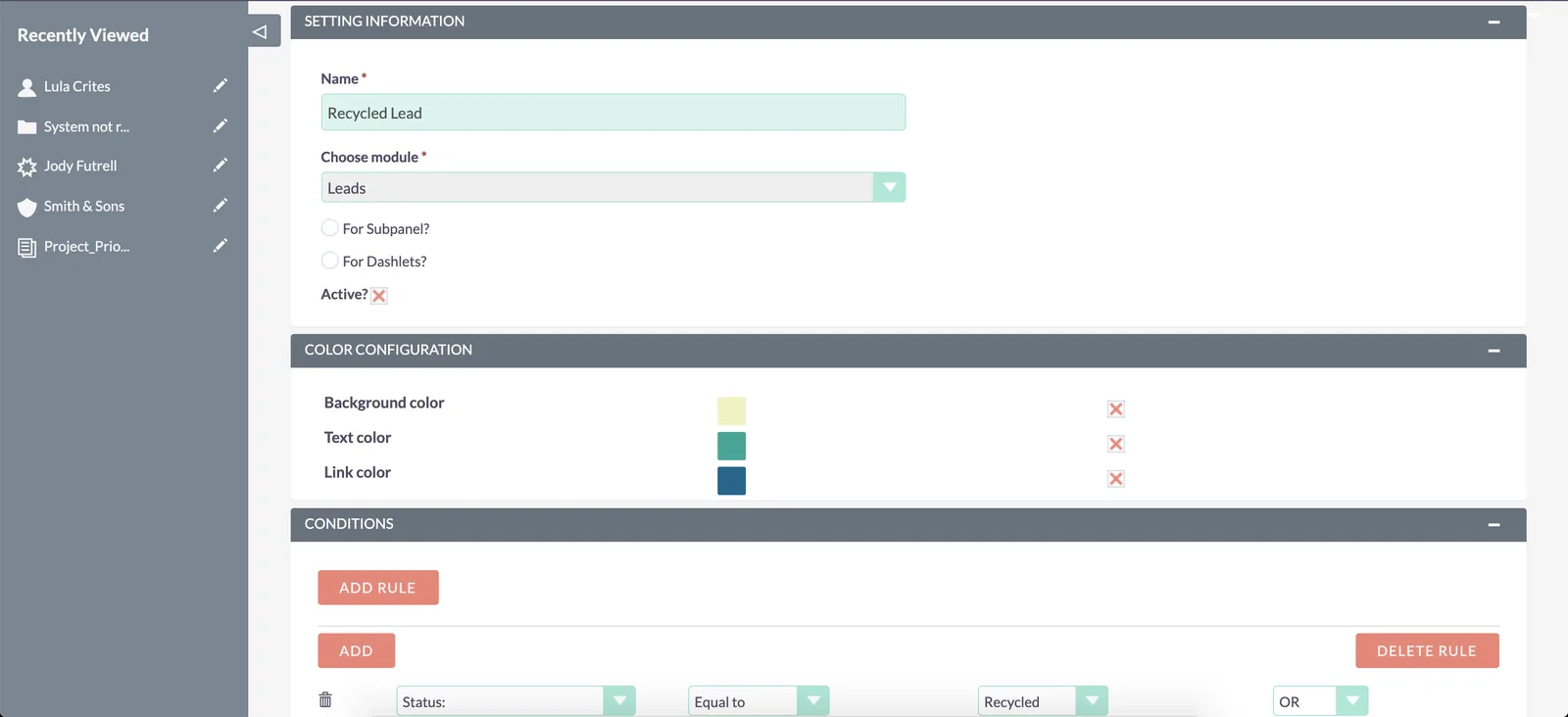
Combine several conditions in a rule, create multiple rules per module, and switch each configuration on or off.
Everything in Colors
Highlight matching records
Background, text and link colors in list views, dashlets and subpanels.
Build rules around your workflow
Multiple conditions per rule, and multiple rules per module.
Manage the configuration
Choose module and colors, configure a subpanel, and activate or deactivate rules.
Up and running in three steps.
- 1
Install the module
Download the ZIP from your account, then upload and install it in SuiteCRM under Admin › Module Loader.
- 2
Choose a module and colors
Pick the module and the background, text and link colors to apply.
- 3
Set your conditions
Add the conditions that decide which records are highlighted, then activate the rule.
- SuiteCRM module (ZIP)
- Re-download anytime from your account